Bringing Home the Magic with MagicBand+
Published on Jan 12, 2026 by Will
The Spark of Magic
Your MagicBands don't have to stop working when you leave the parks.
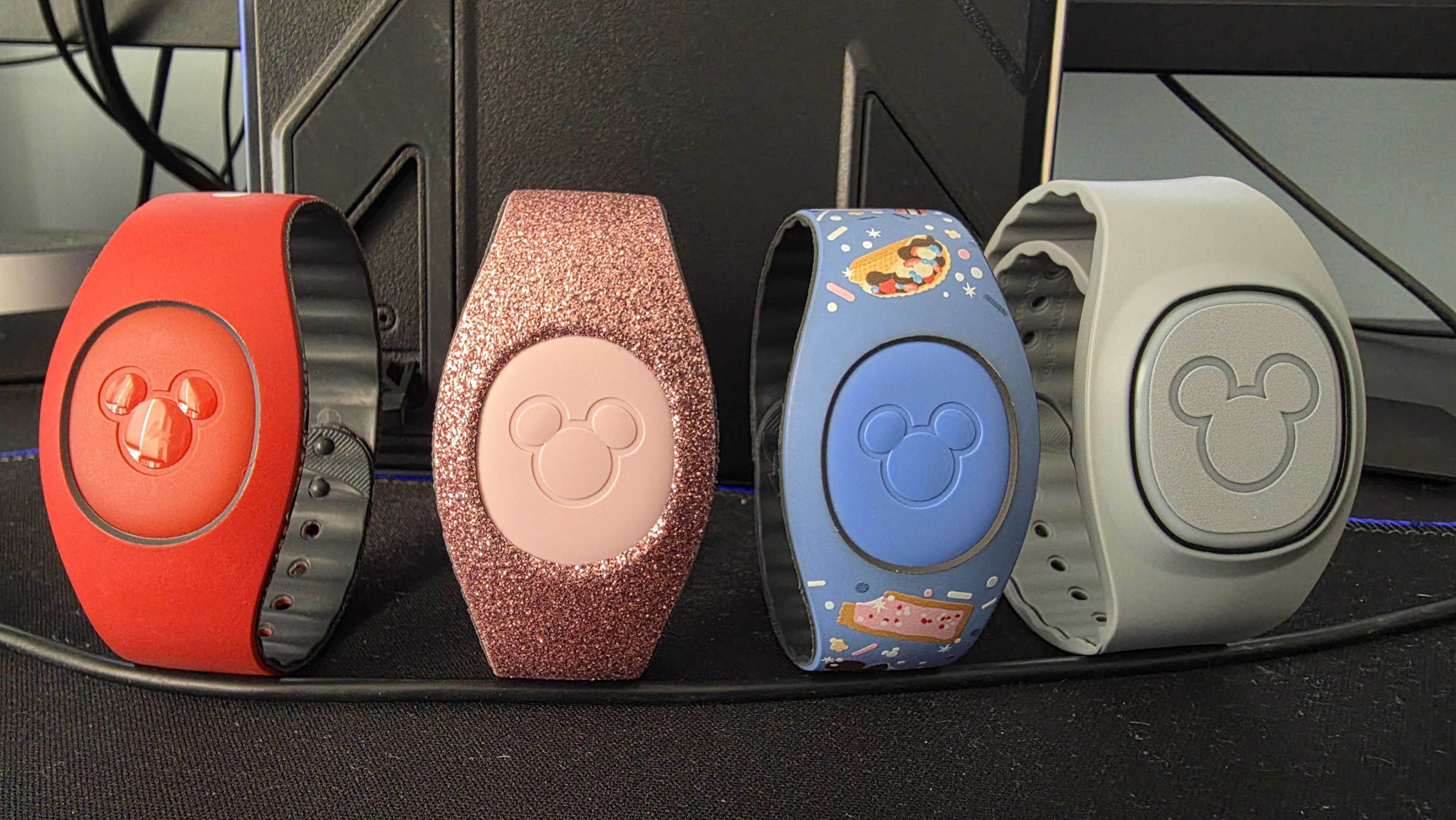
Like many Disney enthusiasts, I'm constantly planning our next trip. I dig through crowd calendars finding the least crowded dates, compare ticket prices from all over the internet, and try to pick the exact right resort me and my family will stay at next. But between trips, my collection of MagicBands just sat in a drawer, collecting dust—beautiful reminders of magical vacations past, but seemingly useless at home.
Then one evening, scrolling through Reddit, I stumbled upon a post by John Sarlos that sparked an idea. John had figured out and demonstrated how to control his MagicBand+ outside of Walt Disney World using an ESP32 microcontroller emitting Bluetooth signals.
- Reddit community discussion: r/WaltDisneyWorld MagicBand controller thread
- Open-source foundation: xxfunprojectsxx ESP32 MagicBand repository on GitHub
- Technical reference: EMCOT Disney MagicBand+ Bluetooth Codes documentation
I dove into the research. MagicBands use standard Bluetooth Low Energy (BLE) to communicate. Disney designed them to respond to specific signals broadcast at attractions, shows, and park entrances. Some limited technical documentation is publicly available, but Disney doesn't advertise that you can replicate these signals at home.
My home is already full of smart devices: Alexa in multiple rooms, Philips Hue lights, a Reolink doorbell camera, and Home Assistant tying it all together. The question wasn't could I make this work—it was how magical could I make it?
Planning a Disney Trip?
Mouse House Magic has free tools to help you save money and pick the best dates for your next Walt Disney World vacation.
From Parts to Magic: The ESP32 Build
What Is It?
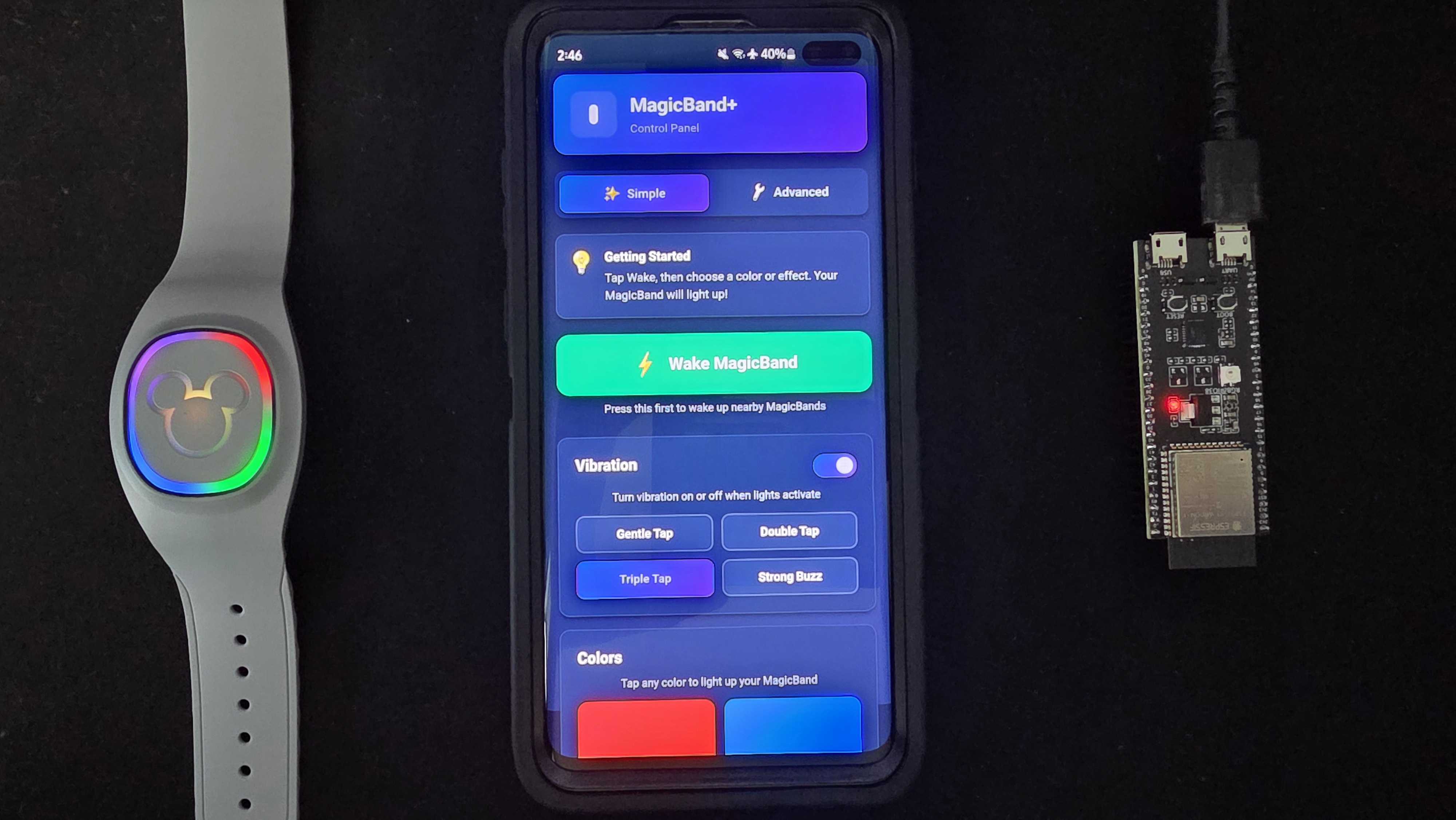
At its core, my setup is surprisingly simple: one ESP32-S3 microcontroller board sitting in my office. This tiny device broadcasts Bluetooth Low Energy (BLE) signals that MagicBands recognize and respond to—the same technology Disney uses in the parks, just miniaturized and under my control.
The ESP32 creates its own WiFi network (a "captive portal") that serves a web interface. Connect to it from your phone or computer, and you can trigger any effect you want. No app to install, no complex setup—just connect and control. I even extended its capabilities by joining it with my home network so that anyone connected to my WiFi can visit the User Interface and send me MagicBand animations!
The Interface
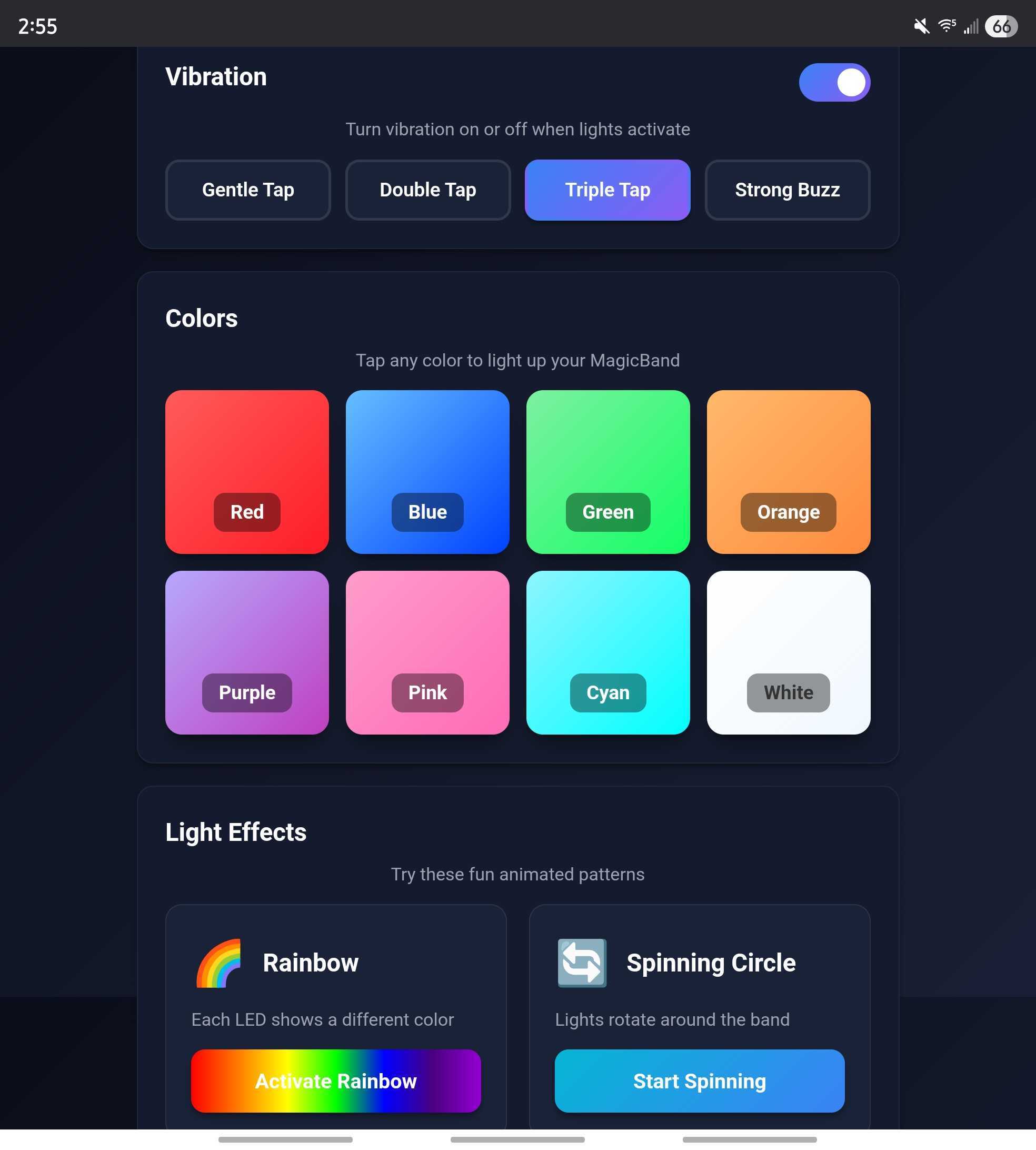
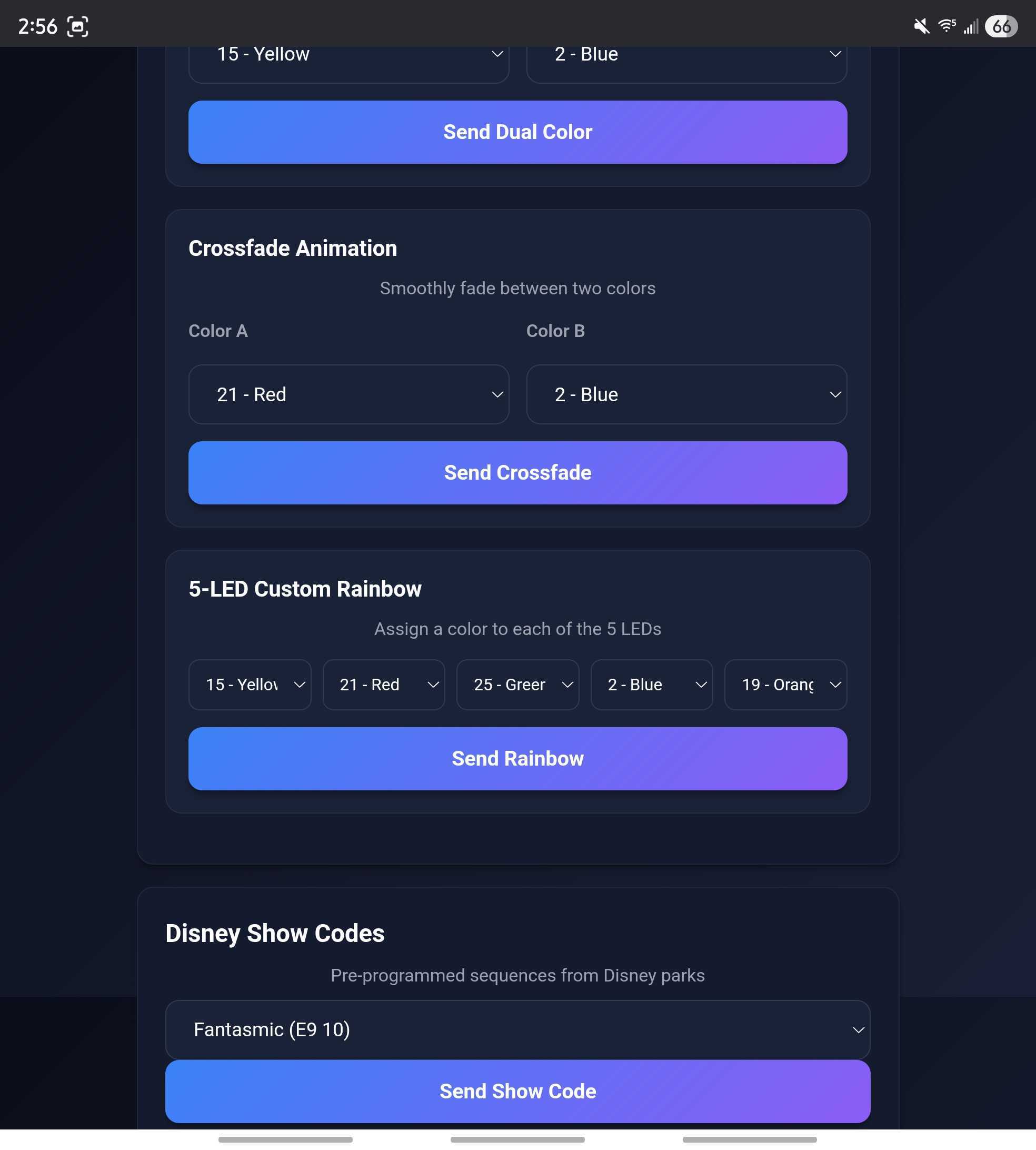
I built a mobile-friendly dashboard with two modes. Simple mode offers quick access to everyday effects—perfect when you're juggling kids or just want instant magic. Advanced mode unlocks deep customization for enthusiasts who want to experiment with timing, LED masks, and custom color combinations.
The Aha Moment: Authentic Disney Park Effects
While testing and reading through the technical documentation, I discovered something incredible: the actual codes Disney uses for some of their park shows.
These aren't approximations or fan-made recreations. These are the exact light sequences and patterns programmed into attractions:
- Fantasmic light sequences straight from Hollywood Studios
- Happily Ever After fireworks effects from Magic Kingdom
- Electrical Parade animations—nostalgic Main Street magic
Your MagicBands respond at home exactly like they do in the parks. It's not similar—it's identical. That's the magic Disney isn't telling you about: your MagicBands are capable of this experience anywhere, anytime.
Added and Enhanced Features
- Complete color palette with all 32 official Disney colors
- RGB custom color picker for any color available
- 16 different vibration patterns (from subtle taps to long pulses)
- Multiple visual effects: rainbow sequences, dual-color modes, circle animations, crossfades
- Advanced controls for LED masking and timing customization
- Raw packet mode for experimenting with new effects
This isn't just technology—it's a way to keep the parks close between visits. When I'm checking DVC rental availability for our next adventure, triggering a Happily Ever After effect reminds me exactly why we keep going back.
When Smart Home Meets Disney Magic
The ESP32 controller alone is impressive, but integrating it with Home Assistant transformed it from a novelty into something truly magical. For the unfamiliar, Home Assistant is an open-source smart home platform that connects all your devices—lights, cameras, doorbells, thermostats—and lets them work together through automations.
The Alexa Bridge
Most people have Alexa. It's familiar, it's easy, and it's already in millions of homes. My setup creates a bridge: Alexa → Home Assistant → ESP32 → MagicBand. This means your voice commands, your existing smart home routines, and your automations can all trigger MagicBand effects.
Note: Disney offers the "Hey Disney" Alexa skill that provides basic MagicBand interactions, but this custom setup offers far more control and integration possibilities than what Disney provides out of the box.
Real-World Use Cases
1Silent Doorbell for Sleeping Baby
The Problem: Our doorbell volume is turned all the way down during nap time. Missing deliveries or visitors is frustrating, but waking a sleeping baby is a disaster.
The Solution: I connected my Reolink doorbell camera to Home Assistant. When someone presses the doorbell, an automation fires that tells the ESP32 to trigger a MagicBand alert.
What Happens: Doorbell rings → Home Assistant catches it → ESP32 broadcasts signal → MagicBand lights up with a gentle blue glow and vibrates
The Magic: I'm instantly alerted without a single sound. No waking the baby, no missing deliveries. Just silent, magical notification.
2Package Delivery Protection
I use Frigate camera AI with my Reolink doorbell to detect package deliveries. The moment a package is placed on my porch, Home Assistant triggers a MagicBand alert—orange flash, strong vibration. I can react immediately to bring the package inside before porch pirates strike.
Bonus: I set different colors for different delivery services. UPS = brown, FedEx = purple, Amazon = yellow. It's silly, but it works and makes me smile every time.
3Voice Control Magic (The Demo That Wows Everyone)
This is the one the kids love most!
I say: "Alexa, turn on Disney+"
What happens:
- Alexa sends the command to the TV in my Living Room via Home Assistant
- The Disney+ app opens on the TV
- Home Assistant triggers the ESP32
- My MagicBand+ lights up with the same animation and colors that trigger during Fantasmic!
It's not just functional—it's magical. Every light switch, every scene change, every automation can trigger a MagicBand response. Movie night? Fantasmic effect. Bedtime? Gentle blue fade. The possibilities are limited only by your imagination and your Home Assistant skills.
Watch the Alexa → Home Assistant → MagicBand+ automation in action
Endless Possibilities for Your Smart Home
Once you have MagicBand+ integrated into your smart home, the creative possibilities multiply. Here are more ideas to inspire your own magical automations:
From Community Discovery to Daily Magic
What started as a non-descript forum post has become a daily part of my home life. The ESP32 board sits quietly in my office, but its impact resonates throughout the house. Every doorbell ring, every "Alexa" command, every automation brings a genuine smile.
The joy isn't just in the technology—it's in the reminder. Between Disney vacations, when real life takes over and the parks feel far away, these MagicBand effects bring a small piece of that magic home. A Fantasmic sequence when the washing machine cycle is complete. A Happily Ever After glow when the lights go out. An Electrical Parade vibration when the mail arrives.
It's not just functional smart home automation. It's not just a fun tech project. It's a connection to something that brings joy, wonder, and incredible memories. It's a reminder that the magic doesn't have to end when you drive away from the parking lot.
For fellow Disney enthusiasts with technical curiosity and Home Assistant experience, I can confidently say: the possibilities are truly endless. Every automation is an opportunity. Every device in your smart home is a potential trigger. Every MagicBand+ in your drawer is waiting to light up your life in ways Disney never told you were possible.
Planning Your Next Disney Adventure?
While bringing Disney magic home is incredible, nothing beats the real thing. When you're ready to plan your next Walt Disney World vacation, Mouse House Magic has you covered with comprehensive planning tools designed to save you money and maximize your experience.
DVC Rental Listings
Save up to 60% on deluxe Disney resort stays. Find confirmed reservations that fit your dates perfectly.
Browse RentalsDiscount Ticket Finder
Compare Disney World ticket prices across multiple trusted vendors. Never overpay for park admission.
Find TicketsCrowd Calendar
Predict park attendance and choose the best days to visit. Less crowds mean more magic and potentially no need for paid skip-the-line options.
Check CalendarLightning Lane Planner
Get Lightning Lane availability snapshots for your park day. Strategize your Multi Pass and Single Pass selections before your booking window opens.
Plan Lightning Lanes